

Onkyo TX-NR656 Manual: A Comprehensive Guide
This guide provides detailed instructions for the Onkyo TX-NR656 receiver, covering setup, features, troubleshooting, and advanced configurations.
It references official Onkyo documentation and user feedback from November 2023 to March 2024.
The Onkyo TX-NR656 is a 7.2-channel network AV receiver designed to deliver immersive home theater experiences. This manual serves as a comprehensive resource for owners, detailing everything from initial setup to advanced audio configurations. Users have reported issues with HDMI input from Nvidia T4080 graphics cards, displaying garbled images when connected through the receiver.
This guide will address common concerns, including network connectivity problems and firmware updates, referencing support articles dated November 25, 2023. It aims to empower users to fully utilize the receiver’s capabilities, including Dolby Atmos and DTS:X decoding.
Key Features and Specifications
The Onkyo TX-NR656 boasts 170 Watts per channel (6 Ohms, 1kHz, 1ch driven) and 100 Watts (8 Ohms, 20-20kHz, 2ch driven). Key technologies include Dynamic Audio Amplification, a High Current Power Supply (H.C.P.S.), and a Non-Phase Shift Amplifier. It features Discrete Output Stage Circuitry and 384K/32-bit DACs for superior audio quality.
Connectivity options include 8 analog audio inputs, and 2 optical/1 coaxial digital inputs. It supports Dolby Atmos, DTS:X, and Onkyo’s GAME surround modes (Rock, Sports, Action, RPG), alongside AccuEQ room calibration.
Power Output Specifications
The Onkyo TX-NR656 delivers substantial power, rated at 170 Watts per channel when driving a 6-ohm load at 1kHz with one channel driven, exhibiting 1.0% Total Harmonic Distortion (THD). For stereo performance, it provides 100 Watts per channel into 8-ohm speakers across the 20-20kHz frequency range, maintaining a low 0.08% THD.
This receiver is continuously 6 Ohms rated and features a High Current Power Supply (H.C.P.S.) for dynamic audio reproduction.

Audio Processing Technologies
The Onkyo TX-NR656 incorporates several advanced audio processing technologies for an immersive listening experience. It supports Dolby Atmos, True HD, and DD Plus, alongside DTS:X and DTS-HD Master Audio decoding. Dynamic Audio Amplification enhances clarity and realism. Vector Logic Signal Control (VLSC) minimizes noise, particularly for front channels.
Furthermore, it features ONKYO GAME Surround Modes (Rock, Sports, Action, RPG) and an Advanced Music Optimizer for improved audio quality across various sources.
Setting Up Your Onkyo TX-NR656
Initial setup involves connecting inputs and outputs, ensuring proper speaker configuration, and utilizing the AccuEQ room calibration system. Begin by connecting your audio and video sources via HDMI, optical, or analog inputs. Carefully configure your speaker setup – including height speakers for Dolby Atmos – before running AccuEQ.
AccuEQ analyzes your room’s acoustics to optimize sound for your specific environment, enhancing overall audio performance. Refer to the manual for detailed connection diagrams.
Initial Connections: Inputs and Outputs
The Onkyo TX-NR656 offers 8 analog audio inputs, 2 optical, and 1 coaxial digital audio input. For video, utilize the HDMI inputs to connect devices like the Nvidia T4080, noting potential compatibility issues reported by users experiencing “garbage” display. Ensure secure connections for optimal signal transfer.
Connect speakers to the corresponding outputs, and the receiver to power. Proper cabling is crucial for a stable and high-quality audio/video experience.

Speaker Configuration and Calibration
Proper speaker setup is vital for immersive sound. The Onkyo TX-NR656 supports Dolby Atmos and DTS:X, requiring height speaker configuration for a 3D audio experience. Utilize the AccuEQ room calibration system to optimize sound for your listening environment.

AccuEQ analyzes room acoustics, adjusting audio parameters for balanced sound. Follow the on-screen prompts during calibration for best results, ensuring accurate speaker distances and levels are set.
Understanding the Onkyo TX-NR656 Remote Control
The Onkyo TX-NR656 remote facilitates full receiver control. Key buttons include power, input selection, volume, and navigation controls for the on-screen display (OSD). Dedicated buttons access sound modes like ONKYO GAME (Rock, Sports, Action, RPG) and Direct/Pure mode.
Explore the setup menu for speaker configuration and AccuEQ calibration. Familiarize yourself with the remote’s layout for seamless operation and optimal audio enjoyment.
Remote Control Button Functions

The Power button initiates system operation. Input Select cycles through available sources. Volume controls adjust audio levels. Navigation buttons (Up/Down/Left/Right & Enter) manage the OSD. The Scene button recalls preset listening modes. Dedicated buttons activate Dolby Atmos, DTS:X, and ONKYO GAME modes (Rock, Sports, Action, RPG).

The Setup button accesses the receiver’s configuration menu for customization, including AccuEQ and speaker settings. Direct/Pure mode is also accessible via a dedicated button.
Navigating the On-Screen Display (OSD)
The Onkyo TX-NR656’s OSD is accessed via the Setup button on the remote. It’s structured into main menus: Setup, Audio, Video, and Network. Within Setup, users configure speaker settings, AccuEQ calibration, and input assignments. Audio allows adjustments to decoding modes (Dolby Atmos, DTS:X) and VLSC.
Video settings manage HDMI output and picture controls. Network handles connectivity and firmware updates. Navigation utilizes the remote’s directional and Enter buttons.
OSD Menu Structure
The Onkyo TX-NR656’s OSD presents a hierarchical menu system. The primary level includes Setup, Audio, Video, and Network. ‘Setup’ branches into General, Speaker, Input, and Display options. ‘Audio’ offers decoding choices like Dolby Atmos and DTS:X, alongside VLSC control. ‘Video’ manages HDMI settings and picture adjustments.
‘Network’ focuses on connection status and firmware updates. Submenus utilize clear labeling, enabling intuitive navigation with the remote’s directional pad and ‘Enter’ button for selection.
Network Connectivity and Firmware Updates
The Onkyo TX-NR656 supports network connection via Ethernet or Wi-Fi, enabling access to streaming services and firmware updates. A user reported issues accessing the network in November 2023, suggesting a receiver reset as a potential solution. Regular firmware updates are crucial for optimal performance and compatibility.
To update, navigate to the Network menu within the OSD, select ‘Firmware Update’, and follow the on-screen prompts. Ensure a stable internet connection throughout the process.
Connecting to Your Home Network
To connect your Onkyo TX-NR656 to your home network, access the “Network” settings via the On-Screen Display (OSD). Choose between a wired Ethernet connection or wireless Wi-Fi setup. For Wi-Fi, select your network name and enter the password using the remote control.
A stable connection is vital for streaming and firmware updates. If encountering issues, verify your router’s settings and ensure the receiver is within range. A user in November 2023 experienced network access problems.
Troubleshooting Network Issues
If your Onkyo TX-NR656 fails to connect to the network, first reboot both the receiver and your router. Verify the network password entered is correct. Check the Ethernet cable if using a wired connection. Ensure the receiver isn’t blocked by firewall settings on your router.
A user reported needing firmware access due to network connectivity loss in November 2023. Try resetting the receiver to factory defaults as a last resort, potentially resolving the issue.
Firmware Update Process
To update your Onkyo TX-NR656’s firmware, first ensure a stable network connection. Access the receiver’s setup menu and navigate to the “System” or “Update” section. Select “Firmware Update” and choose either automatic or manual update.
A user in November 2023 requested firmware assistance due to network access problems. If automatic fails, download the latest firmware from Onkyo’s support website and transfer it via USB. Follow the on-screen prompts carefully during installation.
Audio Input and Output Options
The Onkyo TX-NR656 offers versatile audio connectivity. It features 8 analog audio inputs for traditional sources, alongside 2 optical and 1 coaxial digital audio input for enhanced sound quality. These digital connections support Dolby and DTS decoding.
The receiver’s outputs allow connection to various speaker systems and external amplifiers. Utilizing these options ensures compatibility with a wide range of audio devices, maximizing your listening experience and system flexibility.
Digital Audio Inputs (Optical/Coaxial)
The Onkyo TX-NR656 provides two optical and one coaxial digital audio inputs, enabling high-quality audio transmission from compatible devices like Blu-ray players and game consoles. These connections bypass analog signal degradation, delivering a cleaner, more accurate sound reproduction.
Optical inputs use light, while coaxial uses an electrical signal. Both support Dolby and DTS formats, enhancing your home theater experience. Proper cable connection is crucial for optimal performance.
Analog Audio Inputs
The Onkyo TX-NR656 features eight analog audio inputs, offering compatibility with older audio devices like turntables, cassette decks, or CD players lacking digital outputs. These inputs accept RCA connections, providing a versatile solution for integrating various audio sources into your home theater system.
While digital connections are preferred for optimal quality, analog inputs remain valuable for legacy equipment. Ensure proper grounding and cable shielding to minimize noise and interference.
HDMI Connectivity and Settings
The Onkyo TX-NR656 utilizes HDMI for both audio and video transmission, supporting high-resolution content. Configuration involves selecting the correct input for each device and adjusting settings like EDID control. Users have reported compatibility issues with Nvidia T4080 graphics cards, resulting in a garbled TV display when connected directly through the receiver.
Bypassing the receiver resolves this issue, suggesting a potential HDMI handshake problem. Ensure HDMI cables are securely connected and consider firmware updates for potential fixes.
HDMI Input/Output Configuration
Proper HDMI configuration on the Onkyo TX-NR656 is crucial for optimal performance. Begin by assigning descriptive names to each HDMI input for easy identification. Verify the output settings match your TV’s capabilities, including resolution and HDR support. Experiment with EDID (Extended Display Identification Data) settings if experiencing compatibility issues, particularly with newer devices like the Nvidia T4080.
Ensure the receiver’s HDMI control (CEC) is enabled or disabled based on your setup preferences for seamless device interaction.
Troubleshooting HDMI Issues (e.g., Nvidia T4080 compatibility)
If encountering “garbage” on the TV display when connecting an Nvidia T4080, try different HDMI cables and ports on both the receiver and TV. Experiment with disabling and re-enabling HDMI control (CEC). Update the Onkyo TX-NR656’s firmware, as updates often address compatibility concerns. Consider adjusting the receiver’s EDID settings to force compatibility.
If issues persist, bypass the receiver to confirm the T4080 and TV function correctly directly connected.
Dolby Atmos and DTS:X Configuration
The Onkyo TX-NR656 supports Dolby Atmos and DTS:X immersive audio. Proper speaker configuration is crucial for optimal performance. Height speakers should be positioned according to Dolby’s guidelines for the best effect. Access the decoder settings within the OSD to enable and customize these formats. Ensure your source content is compatible with Dolby Atmos or DTS:X.
Experiment with different decoder options to find the soundstage that suits your preferences.
Setting Up Height Speakers
For Dolby Atmos, the Onkyo TX-NR656 requires correctly positioned height speakers to create the immersive soundscape. These can be in-ceiling, on-ceiling, or up-firing speakers. Up-firing speakers reflect sound off the ceiling, requiring a flat, non-absorbing surface. Ensure consistent wiring and secure mounting.
The receiver’s speaker configuration menu allows you to define the height speaker setup, specifying their size and distance from the listening position for accurate calibration.
Decoder Settings and Options
The Onkyo TX-NR656 supports Dolby Atmos, TrueHD, DD Plus, DTS:X, and DTS-HD Master Audio decoding. Within the OSD, access the decoder settings to customize the audio processing. Options include setting the Dolby/DTS mode to Auto, Direct, or specific formats. Adjusting these settings impacts the soundstage and fidelity.
Experiment with different decoder configurations to optimize the audio experience based on your content and speaker setup. Proper configuration unlocks the receiver’s full potential.
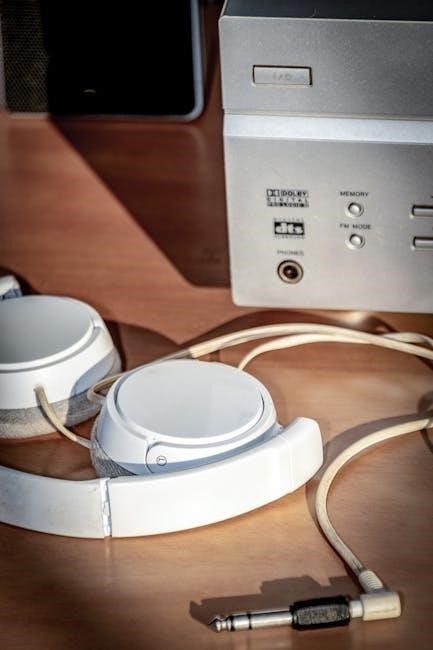
AccuEQ Room Calibration System
The Onkyo TX-NR656 features AccuEQ room calibration, utilizing a microphone to analyze your listening environment. This system automatically adjusts speaker settings for optimal sound quality. AccuReflex is also included, enhancing performance. To begin, connect the provided microphone and follow the on-screen prompts.
AccuEQ measures speaker distance, level, and frequency response, correcting for room acoustics. Understanding the resulting data helps fine-tune the calibration for a personalized audio experience.
Performing AccuEQ Calibration
To initiate AccuEQ calibration on your Onkyo TX-NR656, connect the included microphone to the designated port on the receiver’s rear panel. Ensure the microphone is positioned at your primary listening location – ideally, ear height. Access the AccuEQ setup menu via the On-Screen Display (OSD).
Follow the on-screen instructions, remaining quiet during the measurement process. The receiver will emit test tones and analyze the room’s acoustics, automatically adjusting speaker parameters for optimized sound.
Understanding AccuEQ Results
After completing AccuEQ calibration on your Onkyo TX-NR656, the receiver displays measured data regarding your room’s acoustic characteristics. This includes frequency response curves and adjustments made to each speaker channel. Review these results to understand how AccuEQ has optimized the sound for your listening environment.
While AccuEQ aims for accuracy, subjective listening is crucial. Fine-tune settings further if needed, considering personal preferences. AccuReflex enhances performance with height speakers, optimizing sound reflection.
Onkyo Game Surround Modes
The Onkyo TX-NR656 features dedicated ONKYO GAME Surround Modes designed to enhance the gaming experience. These include Rock, Sports, Action, and RPG, each tailoring the soundstage for specific game genres. Rock delivers impactful bass, while Sports emphasizes crowd noise and dynamic effects.
Action mode heightens directional cues, and RPG creates an immersive, expansive soundscape. Experiment with each mode to find the optimal setting for your favorite games, maximizing audio immersion.
Exploring Rock, Sports, Action, and RPG Modes
The TX-NR656’s ONKYO GAME modes offer distinct audio profiles. “Rock” boosts bass for energetic soundtracks, ideal for rhythm games. “Sports” prioritizes ambient sounds and crowd reactions, enhancing sporting titles. “Action” sharpens directional audio, crucial for pinpointing enemy locations.
“RPG” expands the soundstage, creating a more immersive world. These presets are easily accessible via the receiver’s menu or remote, allowing quick adjustments during gameplay for a tailored sonic experience.
Advanced Audio Settings
The Onkyo TX-NR656 offers granular control over audio processing. VLSC (Vector Logic Signal Control) minimizes high-frequency noise for clearer sound, particularly on front channels. Direct/Pure Mode bypasses all processing, delivering a pristine analog signal directly from the source, ideal for audiophiles.
These settings, accessible through the OSD, allow customization of the receiver’s sound signature. Experimentation is encouraged to optimize audio for specific content and personal preferences.
VLSC (Vector Logic Signal Control)
VLSC, or Vector Logic Signal Control, is a key technology within the Onkyo TX-NR656 designed to enhance audio clarity. It specifically targets and minimizes high-frequency noise that can often be present in audio signals. This is achieved through precise processing, resulting in a cleaner and more detailed sound reproduction, particularly noticeable on the front speaker channels.
VLSC contributes to a more immersive and enjoyable listening experience by reducing unwanted sonic artifacts.
Direct/Pure Mode Explained
Direct Mode on the Onkyo TX-NR656 bypasses the digital signal processing circuits, sending the audio signal directly to the power amplifiers. This results in a purer, more unadulterated sound, ideal for audiophiles seeking the most accurate reproduction of the original recording. Pure Direct takes this a step further by also bypassing the analog section, utilizing a dedicated analog path.
Both modes aim to minimize interference and maximize sonic fidelity.
Troubleshooting Common Issues
Common problems with the Onkyo TX-NR656 include No HDMI Input, particularly with Nvidia T4080 graphics cards, manifesting as a garbled TV display when connected directly through the receiver. Another frequent issue is the Receiver Not Connecting to Network, requiring a firmware check or a complete receiver reset. Users have reported needing firmware updates to resolve connectivity problems.
Ensure all cables are securely connected and try different HDMI ports.
No HDMI Input from Devices
If the Onkyo TX-NR656 isn’t receiving HDMI input, especially from an Nvidia T4080, the TV display may show “garbage.” First, verify the HDMI cable is firmly connected to both the receiver and the source device. Try a different HDMI port on the receiver. Bypassing the receiver and connecting the source directly to the TV can confirm if the issue lies with the receiver itself.
A firmware update might also resolve compatibility issues.
Receiver Not Connecting to Network
If your Onkyo TX-NR656 cannot access the network, begin by verifying your home network is functioning correctly. Ensure the receiver is within range of your Wi-Fi router, or connected via Ethernet cable; A receiver reset can sometimes resolve connectivity problems; Check the receiver’s network settings within the OSD to confirm correct IP address assignment or DHCP settings.
One user in November 2023 specifically needed firmware access due to network issues.
Understanding the High Current Power Supply (H.C.P.S.)
The Onkyo TX-NR656 incorporates a High Current Power Supply (H.C.P.S.) designed to deliver substantial power, ensuring dynamic and impactful audio performance. This technology provides the amplifier circuitry with the necessary current to handle demanding musical passages and complex sound effects without distortion. The H.C.P.S. contributes to the receiver’s ability to drive various speaker impedances effectively.
It’s a key component listed in the specifications.
Discrete Output Stage Circuitry Details
The Onkyo TX-NR656 utilizes discrete output stage circuitry, a design choice prioritizing audio fidelity. Unlike integrated circuits, discrete components – individually selected transistors – offer superior linearity and reduced distortion. This circuitry, featuring a 3-stage inverted Darlington configuration, enhances signal purity and delivers a more accurate and detailed sound reproduction.
The receiver boasts this feature as a key specification, contributing to its overall audio quality and performance.
384K/32 Bit DACs and Audio Quality
The Onkyo TX-NR656 incorporates high-resolution 384kHz/32-bit Digital-to-Analog Converters (DACs). These DACs are crucial for translating digital audio signals into analog waveforms with exceptional accuracy and minimal noise. This results in a wider dynamic range, improved clarity, and a more immersive listening experience.
The superior DACs contribute significantly to the receiver’s ability to reproduce high-fidelity audio from various sources, enhancing overall sound quality.
Bi-Amp Capability for Front Speakers
The Onkyo TX-NR656 offers bi-amping capability for the front speakers, allowing users to connect two separate amplifier channels to each speaker. This configuration powers the high-frequency and low-frequency drivers independently, reducing intermodulation distortion and improving overall sound clarity.
Bi-amping provides tighter bass response, enhanced dynamic range, and a more precise stereo image, elevating the listening experience for discerning audiophiles.
Resetting the Receiver to Factory Defaults
To restore the Onkyo TX-NR656 to its original factory settings, navigate through the on-screen display (OSD) menu. This process erases all custom configurations, including network settings, speaker calibration data, and input assignments. A factory reset can resolve persistent software glitches or prepare the receiver for a new setup.
Consult the owner’s manual for the precise menu path, as it may vary slightly depending on the firmware version.
Where to Find Additional Support and Resources
For comprehensive support regarding your Onkyo TX-NR656, the official Onkyo USA website (onkyo.com) is the primary resource. There, you’ll find the complete owner’s manual, frequently asked questions, and troubleshooting guides. The Onkyo support portal (https://support.onkyousa.com/hc/en-us) also hosts a knowledge base and allows submitting support requests.
User forums and online communities can provide peer-to-peer assistance.